PDF to PNG
Save PDF pages as PNG pictures for slides, diagrams or an image-only upload. Select the pages you need and choose a rendering resolution that keeps details readable on your device.
Before you start
- Input
- One PDF; choose up to 20 pages per export.
- Output
- Separate PNG page images, individually or in a ZIP.
Loading tool…
Results from our original samples: PDF to PNG
Compare the inputs, settings and downloaded outputs below. These observations apply to these samples and the recorded browser, not every file.
sample-b.pdf → dpi-96-page-001.png
Settings: Resolution: 96 DPI · Pages: 1,3

| Sample input | 1,451 bytes Download input |
|---|---|
| Sample output | PNG · 794 × 1123 px · 33,734 bytes Download output |
The selected PDF pages were rendered on a white background.
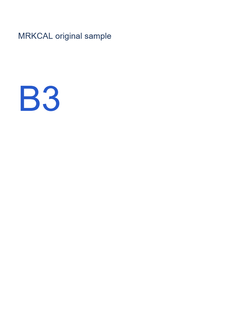
sample-b.pdf → dpi-96-page-003.png
Settings: Resolution: 96 DPI · Pages: 1,3
| Sample input | 1,451 bytes Download input |
|---|---|
| Sample output | PNG · 794 × 1123 px · 36,603 bytes Download output |
The selected PDF pages were rendered on a white background.
sample-b.pdf → dpi-200-page-001.png
Settings: Resolution: 200 DPI · Pages: 1,3

| Sample input | 1,451 bytes Download input |
|---|---|
| Sample output | PNG · 1654 × 2339 px · 108,319 bytes Download output |
The selected PDF pages were rendered on a white background.
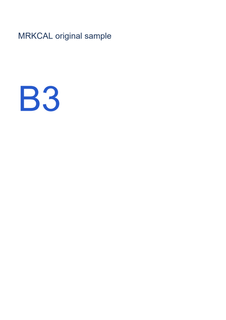
sample-b.pdf → dpi-200-page-003.png
Settings: Resolution: 200 DPI · Pages: 1,3
| Sample input | 1,451 bytes Download input |
|---|---|
| Sample output | PNG · 1654 × 2339 px · 114,954 bytes Download output |
The selected PDF pages were rendered on a white background.
Keep your original. File sizes, appearance and processing limits can vary with your input and browser. Recorded: 2026-10-24 · Browser: Chromium 155.0.4283.62
How to use this tool
- Choose a supported PDF and review its pages.
- Select pages and a rendering resolution.
- Download separate PNG images or a ZIP archive.
Understand the result
This tool renders the entire visible PDF page as pixels. It does not extract the original embedded photographs, retain clickable links or keep text selectable. A higher resolution uses more memory and generally produces larger files.
Choose a resolution for PDF page images
Try 96 DPI for a smaller output or 200 DPI when small text and diagrams need more pixels. Compare the two sample exports at the size you intend to use them. Higher resolution uses more memory and cannot restore detail absent from a scan.
Export selected pages rather than the whole PDF
Enter the page positions you need, such as 1,3. Each chosen page becomes a separate PNG, and multiple pages can be downloaded in a ZIP. Positions refer to the document sequence and may differ from numbers printed on the pages.
Separate page rendering from image or text extraction
This tool creates a picture of the whole visible page on a white background. It does not extract original embedded photographs, join pages into one long PNG or retain selectable text. Use PDF to Text for an existing text layer, or PDF to JPG when JPEG better fits your destination.
If the result is not what you expected
The output is large or export runs out of memory.
Export fewer pages or choose a lower resolution. PNG output can be much larger than the source PDF. Keep the original document when you need its links, text or compact vector graphics.
Next useful tool: PDF to JPG →Important limits
- Password-protected or encrypted PDFs are not supported.
- High-resolution PNG output can use substantial device memory. Export fewer pages or reduce resolution if needed.
- Page links and selectable text are not retained in image output.
- One unencrypted PDF up to 50 MiB and 100 pages. Choose at most 20 pages per export, with up to 30 MiB of PNG output.
- Available resolutions: 96, 144 or 200 DPI. Each rendered page must fit within 25 million pixels.
Frequently asked questions
Why is my exported PNG large or slow to generate?
A high-resolution page can contain many pixels. Export fewer pages or lower the resolution, then check the result. Keep the original PDF when you need its compact vector content, links or text.
Can I export transparent PNG pages?
This release renders the page on a white background. It does not remove backgrounds or offer transparent PDF rendering.
Related guides
Questions or a correction? mrkcal@mrkcal.com